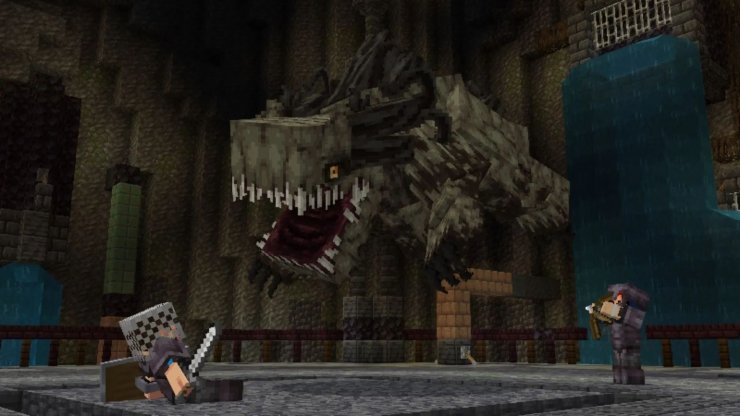
The Colossal Bosses add-on by Pixell Studio is an exciting addition to Minecraft Bedrock Edition, introducing six formidable bosses, new weapons, and challenging gameplay to spice up your survival or multiplayer worlds. This guide covers how to acquire the add-on, install it, and dive into its thrilling battles, with tips to help you succeed.
How to Get the Colossal Bosses Add-on
Follow these steps to acquire and install the Colossal Bosses add-on:
Step 1: Access the Minecraft Marketplace
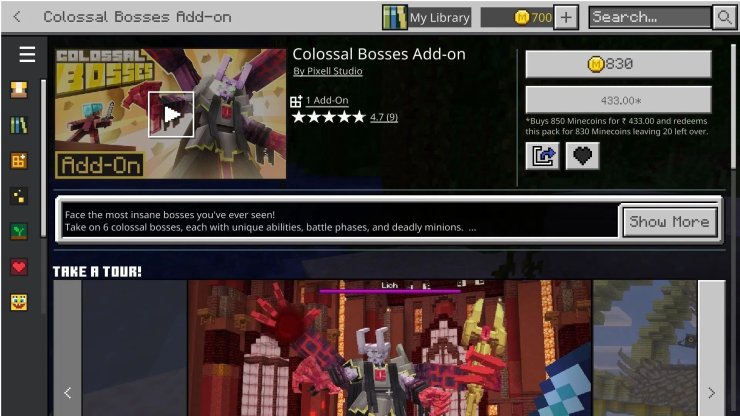
- Search for the Add-on: In the Marketplace, use the search bar and type "Colossal Bosses" to locate the add-on by Pixell Studio. Alternatively, browse the "Add-ons" section, where it may be featured due to its popularity (4.7-star rating on BedrockExplorer).
- Cost: The Colossal Bosses add-on is priced at 830 Minecoins. If you don’t have enough Minecoins, you can buy them through the Marketplace using real-world currency (prices vary by region).
Step 2: Apply the Add-on to a World
- Create a New World:
- From the main menu, select "Create New World."
- Go to the "Add-ons" tab in the world settings.
- Under "Resource Packs" and "Behavior Packs," find Colossal Bosses and click "Activate" for both.
- Adjust other world settings (e.g., difficulty, multiplayer options) and create the world.
- Add to an Existing World:
- Open the settings of an existing world.
- Navigate to the "Add-ons" section and activate the Colossal Bosses resource and behavior packs.
- Save and reload the world to apply the changes. Note that adding add-ons to existing worlds may cause compatibility issues, so back up your world first.
How to Play the Colossal Bosses Add-on
Once the add-on is installed and activated, you’re ready to face its challenges. Here’s how to get started and succeed:
Finding and Spawning Bosses
- Exploration: The add-on doesn’t specify exact spawn locations, but bosses are likely to appear in specific biomes or structures, similar to other boss-focused add-ons. Explore diverse biomes like deserts, forests, or the Nether to encounter them. Some bosses may require summoning items or interaction with unique structures, so keep an eye out for unusual monuments or altars.
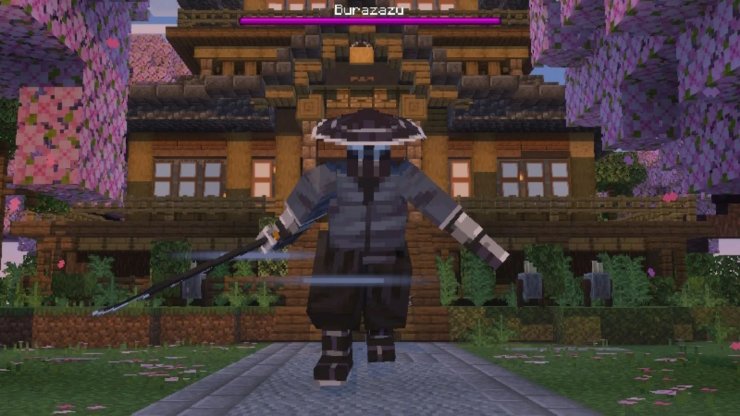
- Boss Encounters: Each of the six bosses has unique abilities and phases. They’re accompanied by minions, adding complexity to fights. Pay attention to their attack patterns, as dodging and countering are key to survival.
Using New Weapons
- Six New Weapons: The add-on includes six weapons designed to combat the bosses. These may have special abilities, such as enhanced damage or effects like withering, similar to weapons in other boss add-ons. Check your inventory or crafting recipes in the guide book (if provided) to access them.
- Crafting or Loot: Weapons might be craftable using new items dropped by bosses or found in structures. Alternatively, defeating bosses may reward you with these weapons directly. Experiment with different weapons to find the best match for each boss’s weaknesses.
Strategies for Success
- Prepare Your Gear: Before fighting, equip high-tier armor (preferably Netherite) and enchant it with Protection, Unbreaking, and Mending. Stock up on potions (Healing, Regeneration, Strength) and bring a shield to block attacks.
- Build an Arena: Create a flat, open space with plenty of room to move. Remove obstacles and add cover (e.g., walls or pillars) to dodge attacks. Lighting the area prevents additional mob spawns.
- Learn Attack Patterns: Each boss has unique moves, such as charging attacks, summoning minions, or unleashing area-of-effect spells. Observe and adapt to these patterns to avoid damage. Multi-phase bosses escalate in difficulty, so conserve resources for later stages.
- Team Up in Multiplayer: The add-on supports multiplayer, making it ideal for group play. Coordinate with friends to assign roles (e.g., tank, healer, damage dealer) and tackle bosses together.
- Use the Environment: Some bosses may interact with the terrain, like destroying blocks or summoning hazards. Use this to your advantage by luring them into traps or exploiting environmental weaknesses (e.g., water to slow certain mobs).










Comments