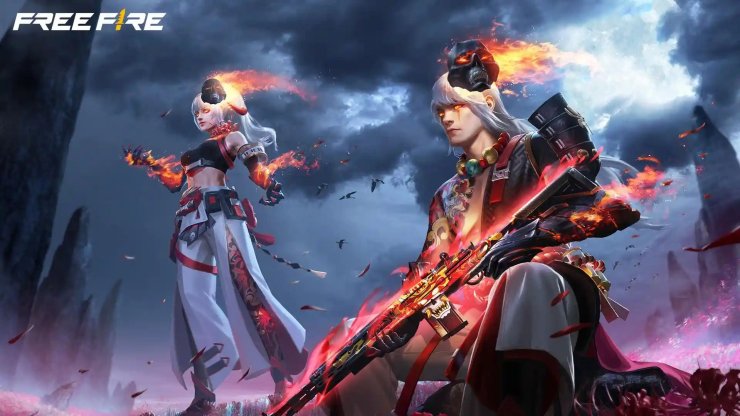
Garena Free Fire players are excited for the upcoming OB54 update. The Advance Server gives selected users early access to test new features, balance changes, and improvements before the official global release. This testing phase helps Garena fix bugs and refine the experience based on player feedback.
Expected Registration and Server Dates
The exact dates are not officially confirmed yet, as Garena often reveals them close to launch. However, reliable reports point to the following timeline for OB54:
- Registration is expected to open around June 5, 2026.
- Activation codes are likely to be distributed shortly after, around June 8.
- The Advance Server itself is projected to go live around June 12, 2026.
- The full OB54 update is anticipated to roll out globally in the first half of June 2026, possibly around June 25.
These dates follow Garena's usual two-month update cycle. Spots are very limited, so players need to act fast when registration goes live. Keep checking the official Free Fire social channels and the Advance Server website for the latest announcement.
How to Sign Up for Free Fire OB54 Advance Server
Only Android users can join the Advance Server. The process is simple but requires an active Free Fire account linked to Facebook or Google. Here is a clear step-by-step guide:
- Visit the official website
Go to ff-advance.ff.garena.com exactly when registration opens. Bookmark the page in advance so you are ready. - Log in with your game account
Sign in using the Facebook or Google account linked to your main Free Fire profile. This step is mandatory. - Complete the registration form
Enter your valid email address, phone number (if asked), and other required details. Make sure the information is accurate. - Submit and wait for approval
After submitting, Garena reviews the requests. If you are selected, a unique activation code will appear on the website or be sent to your registered email. - Download the Advance Server APK
Once you have the code, download the official OB54 Advance Server APK directly from the same website. - Install and log in
Enable installation from unknown sources in your device settings, install the APK, launch the app, and enter your activation code when prompted. You can now explore the new content.
Important Notes
- Access is limited to a small number of players. Registration does not guarantee entry.
- Your progress on the Advance Server will not transfer to your main account after the test ends.
- Use the server to test features and report bugs. Garena sometimes rewards active testers with diamonds or in-game items.
- Never share your activation code or download the APK from unofficial sources to avoid security risks.
The OB54 Advance Server is a great chance for dedicated Free Fire players to experience upcoming content early. Stay tuned to official updates so you do not miss the registration window. Good luck, and we hope you get selected for the test!






Comments